
How to Choose a POS for a Small Shop in Uzbekistan (2026)
Published: 2026-06-11 · 6 min read
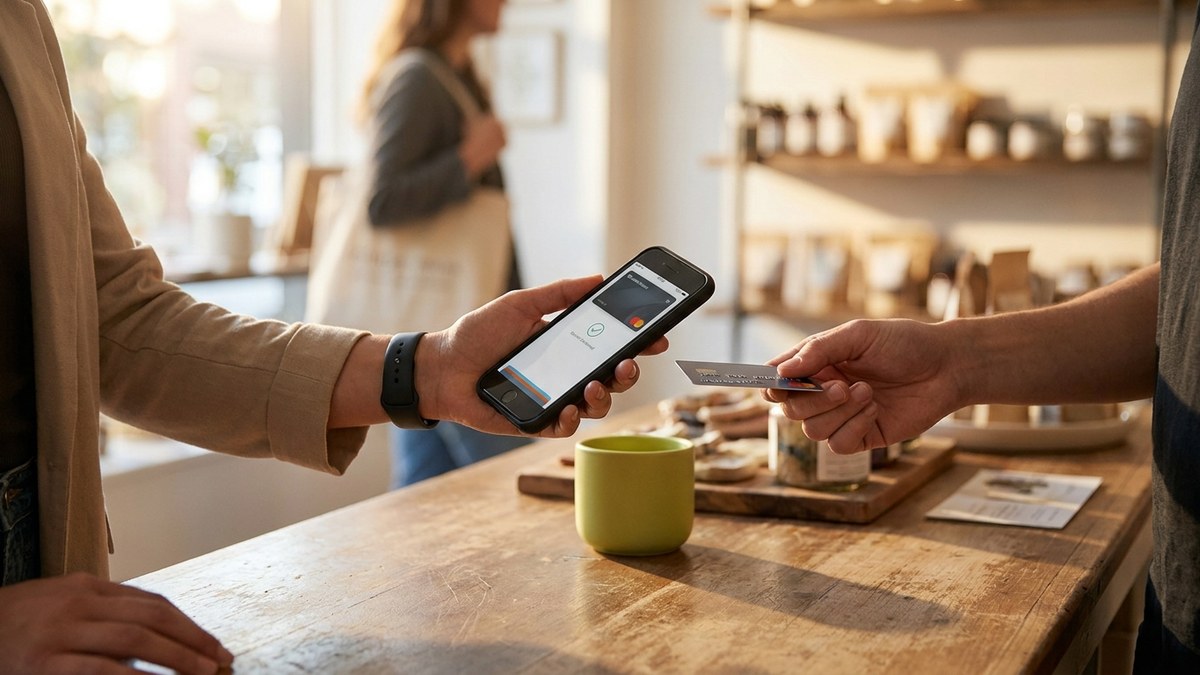
If you are choosing a POS for a small shop, the quickest way to cut the noise is one question: when you close the shop at night, do the cash, the stock count and the debts sit in one place or in three separate notebooks. That question alone removes half the options.
A notebook stops working one day. You have more products, a second cashier, and the till no longer matches at close. That is when an owner starts looking for software, and every option promises the same big things.
This is written in the voice of a neighbor who has run a shop, not a salesperson. We compare a notebook, Excel and heavy software against a till on a phone, then go step by step through what to check before you pay.
Why a notebook stops working one day
A notebook works while there is one cashier, one till, and not much stock. The trouble starts as you grow. You stop noticing in time which product is running out, and the customer leaves with nothing. You cannot say exactly how much you sold this month.
With a second cashier, control slips even further. If money is missing from the till, finding the reason is almost impossible: a wrong item rung up, a write-off not recorded, or something else. There is no record, only trust.
At night the day's takings sit in three places: the cash drawer, the notebook, and memory. They never fully agree. A POS app closes exactly this gap: every sale is recorded, the stock count updates itself, and the numbers sit on one screen.
Notebook, Excel, heavy software or a till on a phone
Before choosing a POS for a small shop, look at the four paths openly. Each has its place, but not each one fits a small shop.
No invented numbers here. We just name what each path does and where it stops.
- Notebook: cheap and simple. But it does not count stock for you, does not show the cashier, and a lost page is a lost debt.
- Excel: tidier than a notebook. But someone must keep typing into it by hand, it does not run as a till on a phone, and it is slow during a sale.
- Heavy software: written for a large shop, needs a computer and setup. A small shop gets lost in it.
- Till on a phone: sales, stock, debts and reports in one app. For many small shops a phone or tablet is enough.
What a good POS for a small shop must do
Not all software is the same. When choosing a POS for a small shop, check that it has everything below. Without these, the app only does half the job.
- Fast checkout: find a product and close a receipt in a couple of seconds.
- Stock inside: the count drops together with the sale on its own, with no separate notebook.
- Payments: cash and QR, without a separate terminal.
- Debts in the app: who took how much on credit and when they promised to pay, in one list.
- Reports: daily and monthly revenue on one screen.
- Control: PIN login and a journal of every action, so you see what the cashier did.
What to check before you pay
First, is the price open. In honest software the monthly fee is visible and written down in advance, with no hidden charges. Learning the price at the last moment is a bad sign.
Second, is there help loading your products. If you have to type products in by hand a thousand times, the app becomes a burden rather than help. When there is a ready catalog at the start and a team helps you load products, the work goes easier.
Third, do not rush to buy expensive hardware if a phone is enough. For many small shops a till on a phone or tablet covers the job. A dedicated till machine comes later, once the shop grows.
Common mistakes when choosing
The first mistake is choosing on price alone. If a cheap app cannot track stock or work offline, you will have to switch again later and lose time.
The second mistake is buying a system that is too complex. A small shop gets lost in software written for a large supermarket. A simple but complete app is often the more correct choice.
The third mistake is forgetting about control. If you work with a cashier, an app without a journal and PIN can leave you out of pocket. Check this before you check the price.
Where BirLiy fits in
BirLiy brings the till, stock, customer debts, QR payments and reports into one app on a phone. Instead of three separate programs and a notebook, you get one place. It works offline too and syncs itself when the connection returns.
Cashier control is here as well: PIN login and a full action journal, so you see who made each sale or return. The price is known in advance, with no hidden charges. At the start, the exact terms for your shop are given on request.
Early access is open now for the first shops in Tashkent. Made for Uzbekistan.
Choosing a POS for your shop? Early access is open for the first shops in Tashkent, and the exact terms are given on request.
Leave a requestRelated articles

How to Choose Shop Management Software? Key Features
A guide for Uzbekistan shop owners on choosing the right software. Must-have features, common mistakes, and local considerations. Find what really works.
Read article
Cash register software cost in Uzbekistan: Prices & features
Wondering how much cash register software costs in Uzbekistan? From a free notebook to 149 000 som monthly. Find out what small shops actually pay and what you get.
Read article